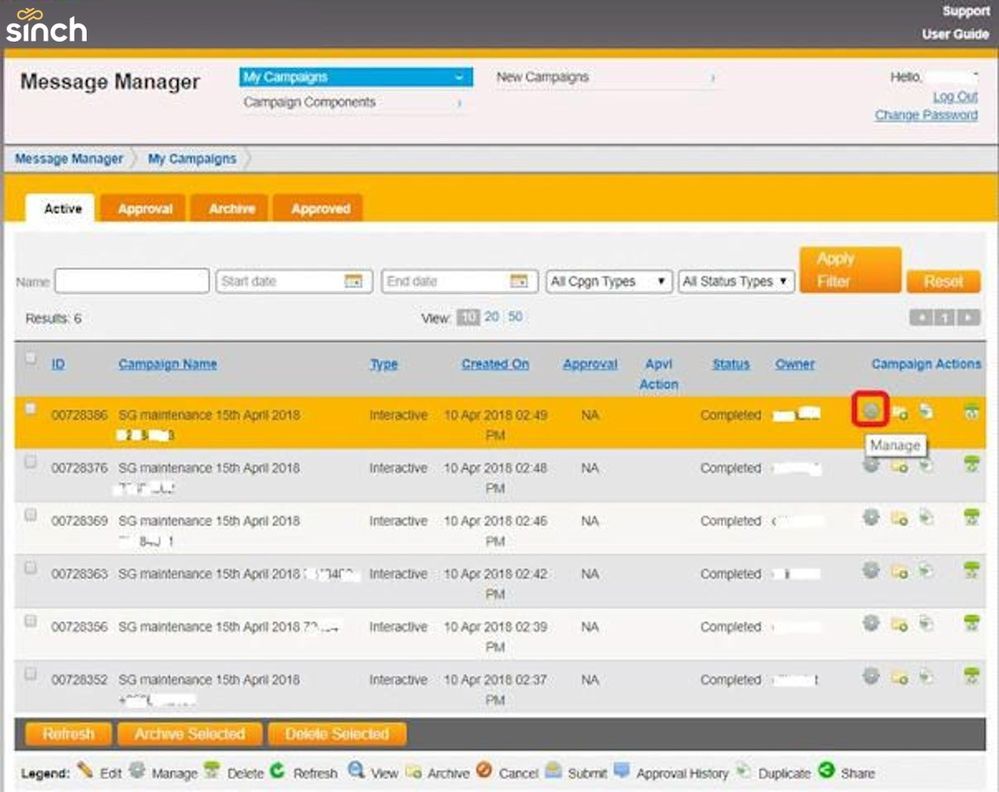
On the Campaigns page, click the gear icon (highlighted in red below) to go to the Manage screen:
When the Manage page displays, click the Download Reports option at the bottom of the screen to download a report in excel format.

On the Campaigns page, click the gear icon (highlighted in red below) to go to the Manage screen:
When the Manage page displays, click the Download Reports option at the bottom of the screen to download a report in excel format.
Comments
0 comments
Please sign in to leave a comment.