
When you have imported a number to Sinch or are hosting a number with Sinch and delete the number then this action will trigger the immediate release of the number, because these numbers are classed as are BYON (bring your own numbers) and can be reimported or re-hosted if/when needed.
To delete an imported number or a hosted number, take the following steps:
- Log into the Sinch Build Dashboard.
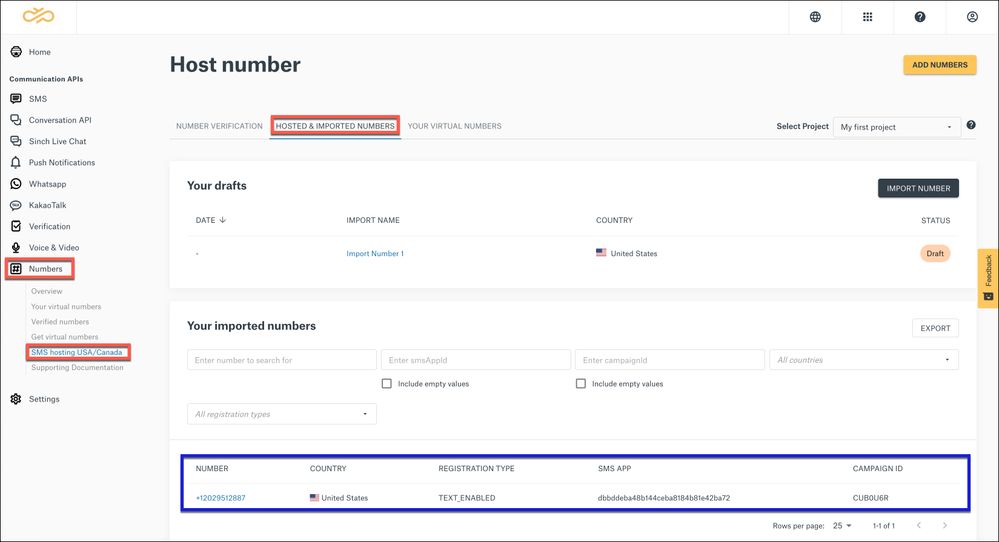
- Select Numbers from the left menu and click the SMS hosting US/Canada option. Select the HOSTED & IMPORTED NUMBERS tab. The Host number page is displayed:
This page displays a list of your hosted numbers. Click on the number you want to delete.
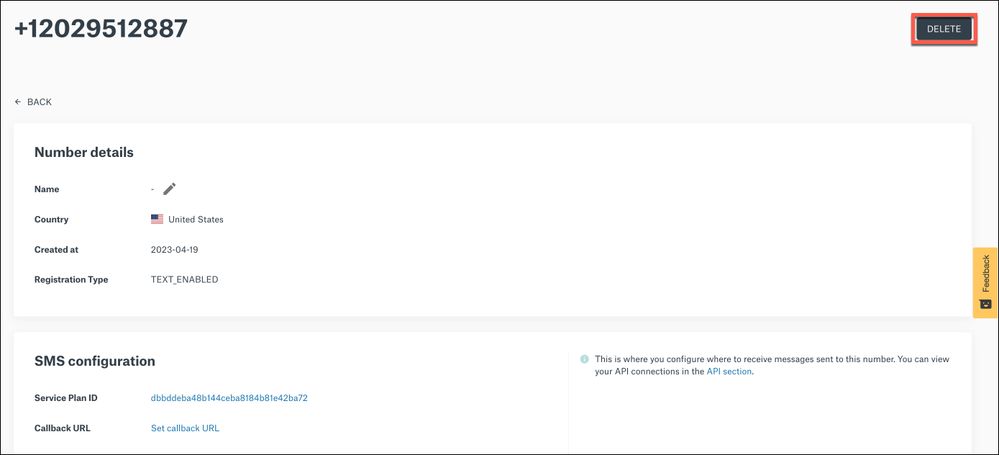
- The Number Details page displays:
Click DELETE to release the number.
Click here to learn more about how you can get access to a complete range of carefully-tested phone numbers, to use with all your communication services from Sinch.
Comments
0 comments
Please sign in to leave a comment.