
To send with merge fields using Connect, take the following steps:
- Launch Connect from your Sinch SMS Portal.
- Expand the Batch SMS menu item by clicking on the downward arrow to the right of Batch SMS.
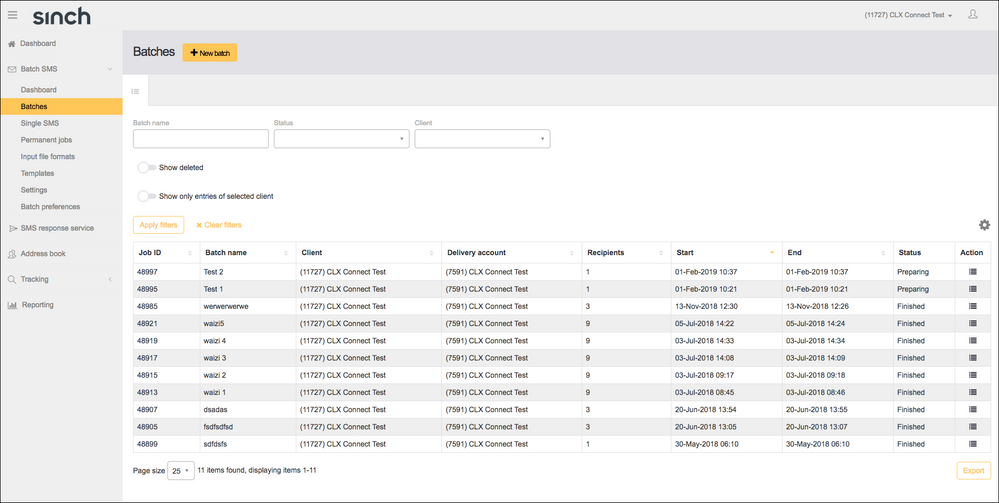
- Click Batches.
- Click the New Batch button to launch the wizard:
- The file uploaded or the Address Book selected must have merge fields. Click Next.
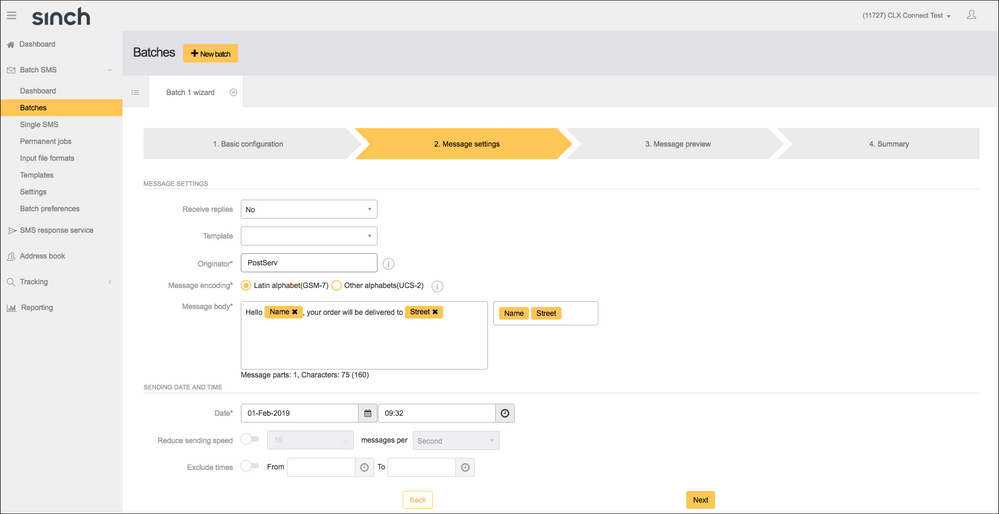
- Compose your message using the merge field chips on the right-hand side of the message body box to insert the unique information into your message:
Click Next.
- Preview your message to ensure you are happy with it and that there are no spelling or formatting mistakes. You can send a single test message to check this by entering a number to see how it will appear on the handset. Click Next.
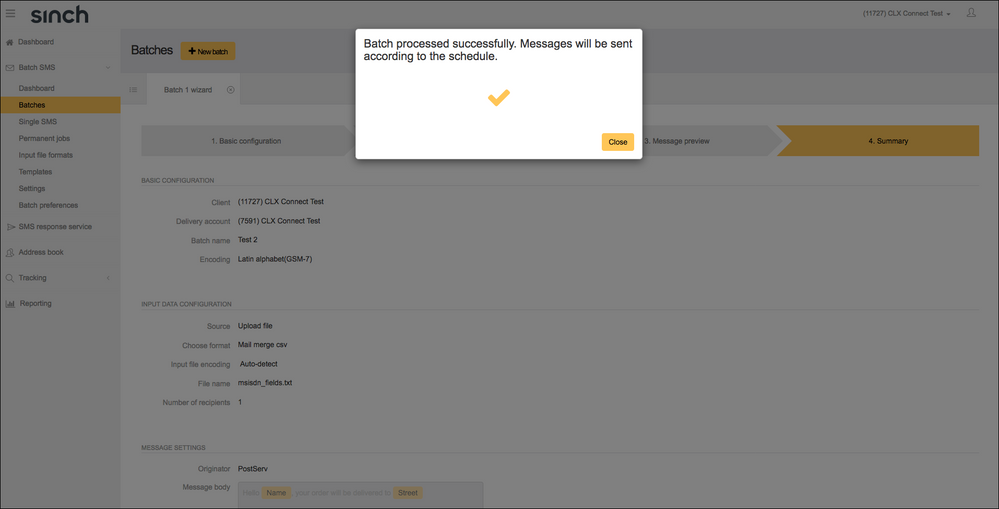
- Check that all the details are correct, tick the acknowledgement box then click Complete to send or schedule your batch:
Comments
0 comments
Please sign in to leave a comment.