
A Conversation API app is used to organize a set of connected channels and their channel credentials. You must create an App before you can send messages.
To create a new ConversationAPI App:
- Log in to the Sinch Build Dashboard.
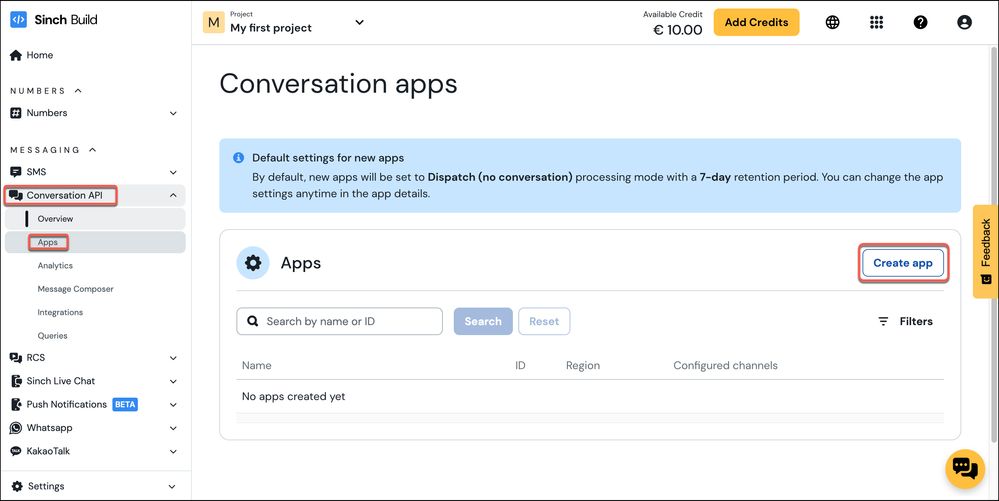
- Select Conversation API from the left menu and select the Apps option (highlighted in red below). The Conversation apps page is displayed:
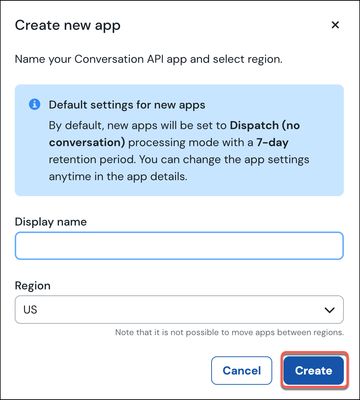
- In the Apps section, click Create app. The Create new app form is displayed:
Specify a name and an appropriate region for your App. Click Create.
Note: The region you select is the region in which your Conversation API app will be hosted (and, therefore, where the associated data will be stored). Once you have selected a region for your App, you cannot change it.
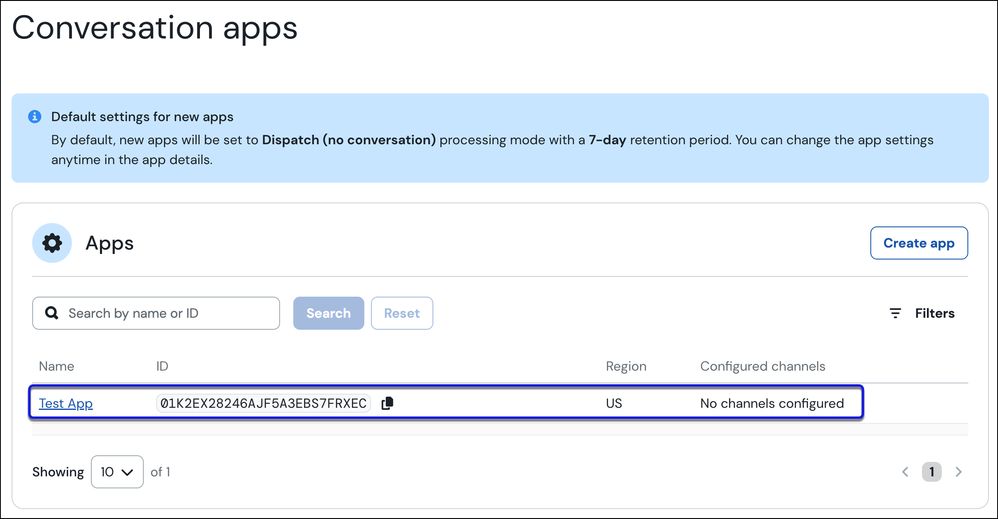
The newly created App will be displayed in the Apps section:
Comments
0 comments
Please sign in to leave a comment.