
The retention policies on an app dictate how long messages and contacts are stored. The retention policy can be modified either in the Conversation API or in the Sinch Build Dashboard within each app. This article describes how to modify the retention policy using the Sinch Build Dashboard. Read more about retention policy specifics.
Important! Be mindful of various laws around retention times for your geographical area. Sinch does not review your retention policy modifications for legal compliance.
To modify your retention for messages in the Sinch Build Dashboard:
- Login to the Sinch Build Dashboard.
- Select Conversation API from the left menu and select the Apps option.
- Choose the app for which you’d like to modify the message retention policy.
- Navigate to the Message storage section.
- Select either Conversation mode or Dispatch mode to edit the retention policy for the corresponding processing mode.
Note: Conversation API apps are set to Dispatch mode by default. See our developer documentation for more information on the different processing modes.
- Click Edit.
- Select what you would like to modify.
If you are editing the Conversation mode retention policy, select either the Conversation expire policy, Message expire policy, or Persist policy policy type. You may additionally edit the Retention period if you selected Conversation expire policy or Message expire policy.
- If you are editing the Dispatch mode retention policy, edit the Retention period.
- Once you have made your updates, click Save.

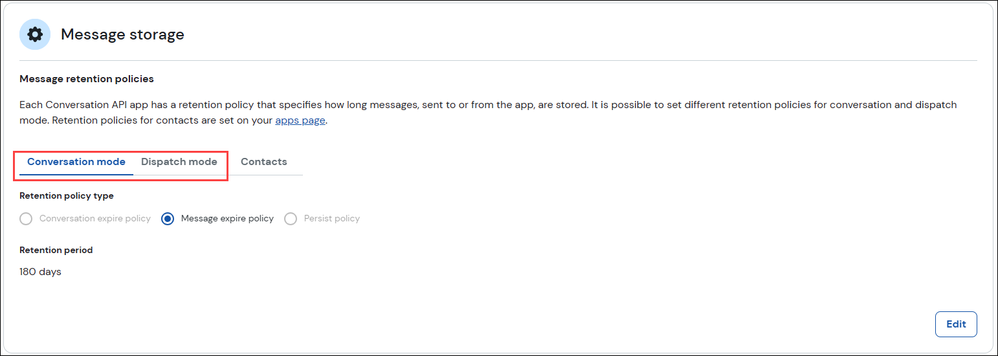
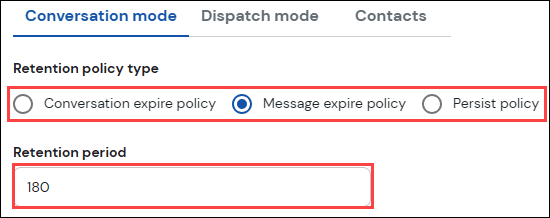
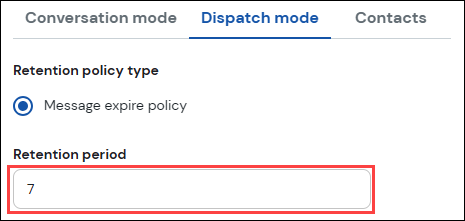
Note: The Contacts tab will link you back to the Contact Retention Policy settings.
To modify your retention policy for contacts in the dashboard:
- Login to the Sinch Build Dashboard.
- Select Conversation API from the left menu.
- Navigate to the Contact settings section.
- Select the tab corresponding to the geographic area for which you’d like to modify the contact retention policy.
Click Edit.
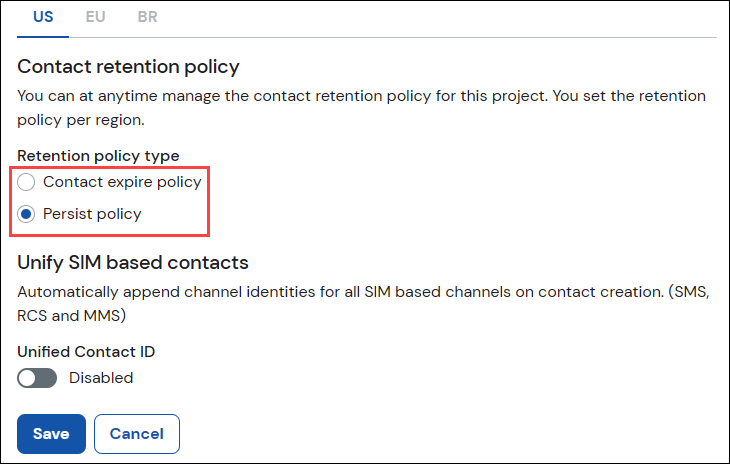
Here, you can select Contact expire policy type: Persist policy or Contact expire policy.
- If you selected Contact expire policy, you may edit the Retention period.
- Click Save.
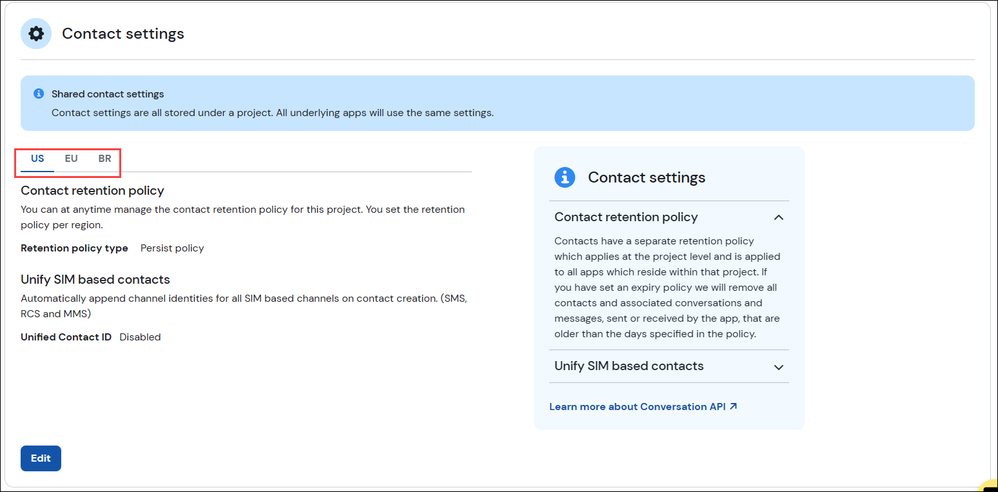

Read more about retention policies or to learn how to modify the retention policy using the Conversation API.
Comments
0 comments
Please sign in to leave a comment.