
To search for SMS messages using the Sinch Build Dashboard, log in to the Sinch Build Dashboard and follow the steps below:
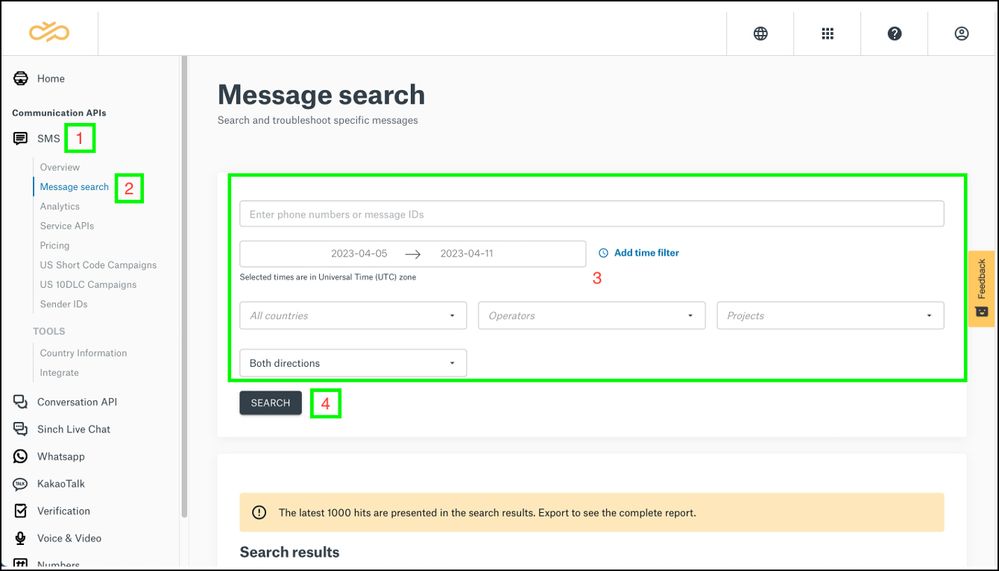
- Select the SMS option from the left menu.
- Click Message Search. The Message search page is displayed:
- Enter the information requested in the fields based on your search requirements.
Note: Make sure you select the right project from the Projects field or keep this blank if you want information about all of your projects.
- Click Search.
-
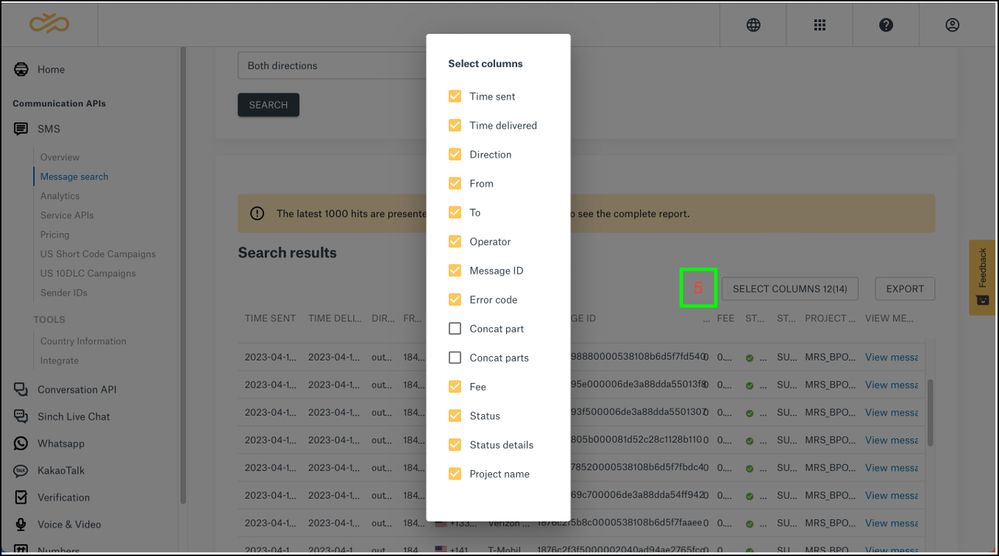
The Search report will be loaded and displayed:
Once the Report has been loaded, click SELECT COLUMNS to select the information that you want to see in the columns.
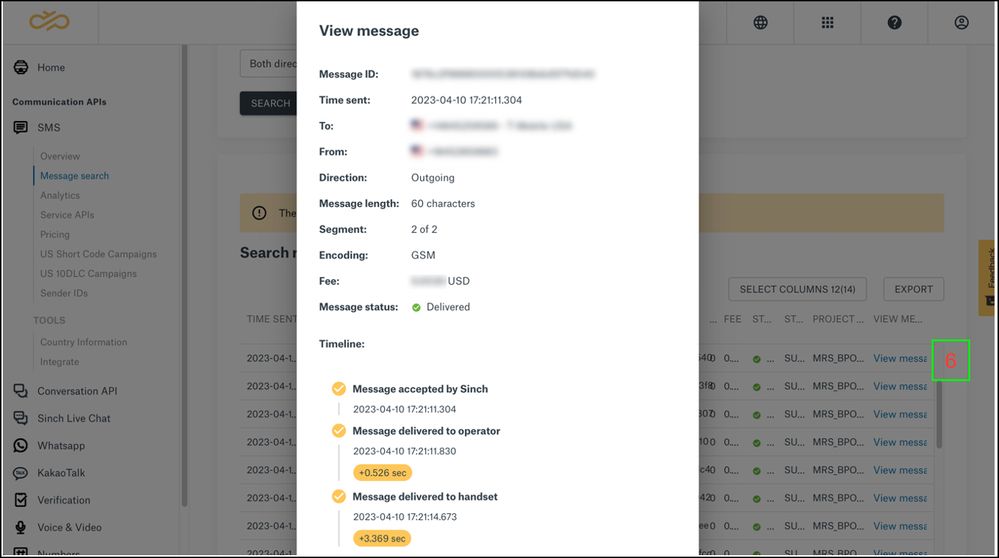
- Click on the View message link on each row of the report to get more information about the corresponding message in that row:
Comments
0 comments
Please sign in to leave a comment.