
When setting up the KakaoTalk channel of the Conversation API, it's possible for Sinch customers to configure their solution to send only AlimTalk and KakaoTalk Brandmessage messages. These are outbound messages only.
Inbound KakaoTalk messages are delivered as ConsultationTalk messages. ConsultationTalk message support can be added to your KakaoTalk channel configuration as required. When ConsultationTalk message support is enabled for your solution, the chat service in the KakaoTalk Channel Manager will be disabled, and all inbound ConsultationTalk messages will be delivered directly to the customer's webhook via the Conversation API. You will be unable to see the chat history in the KakaoTalk Channel Manager.
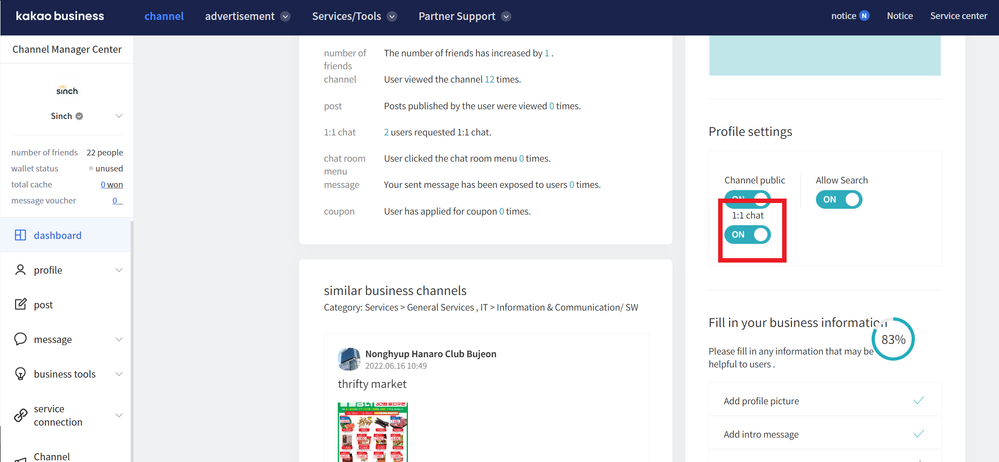
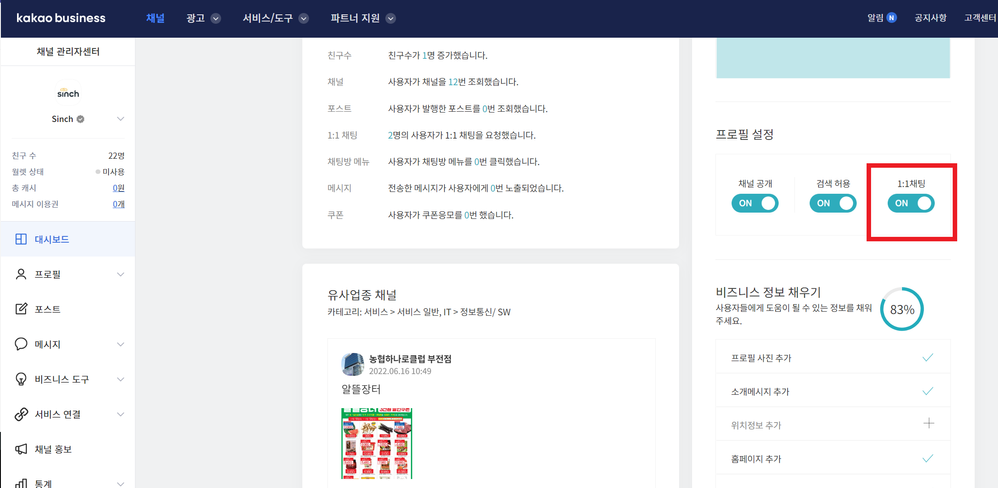
Make sure that the 1:1 chatting is enabled on your KakaoTalk Channel Manager. You can do on the dashboard and toggle ON:
Note: For information on how to add a webhook to a Conversation API app, see this article.
Learn more
- Find out more about the Sinch KakaoTalk for Business channel.
- Sinch Developer Documentation site contains comprehensive documentation and tutorials, which show you how we support KakaoTalk using the Sinch Conversation API.
- Product Information.
Comments
0 comments
Please sign in to leave a comment.