
New telephone numbers can be ordered from the Sinch Build Dashboard by selecting the Get virtual numbers option from the Numbers section in the left hand navigation menu:
The Get Virtual Numbers page is displayed.
Purchasing a new number
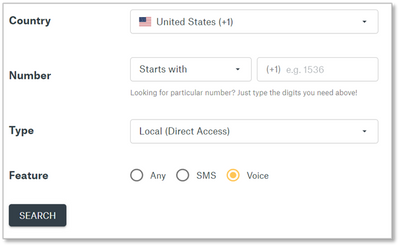
The Get Virtual Numbers page allows you to search for numbers in specific areas. Select the Voice feature option to ensure you are searching through numbers which can be used for voice communications.
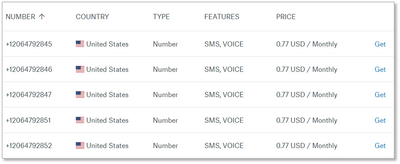
Once you have found a number you would like to purchase, click the Get link for corresponding to the number you want to purchase:
Enabling numbers for Elastic SIP Trunking
After purchasing your new number, you will be taken automatically to the number’s configuration page to enable the new number to use Sinch Elastic SIP Trunking.
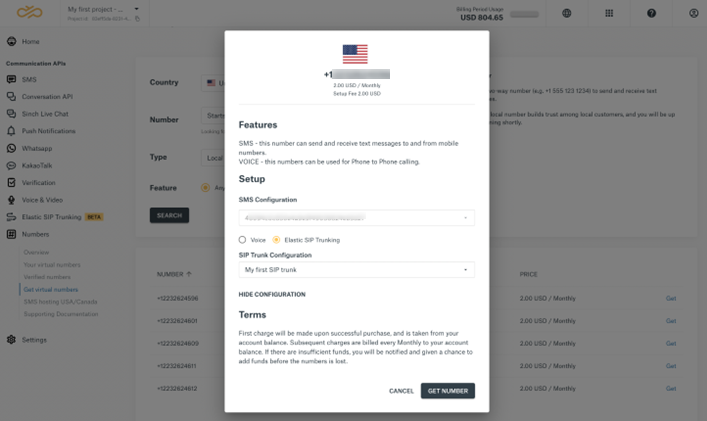
Note: If you clicked away, you can find the configuration page under “Your Virtual Numbers” beneath the “Numbers” section of the navigation menu.
Toward the bottom of the number configuration page, select the Elastic SIP Trunking button and find the SIP Trunk you created earlier in the SIP Trunk drop-down menu. Please note that default Voice configuration is for Programmable Voice and you must change it to Elastic SIP Trunking to use the number with your SIP Trunk.
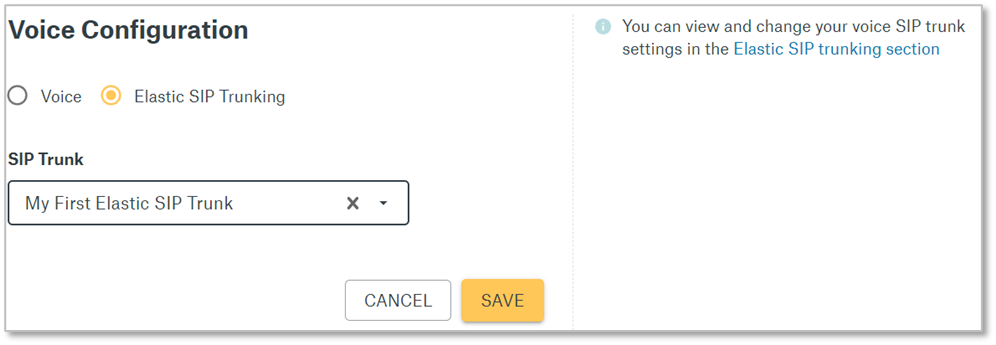
Once done, click Save.
Next steps
Now you must register an emergency address for the phone number you purchased.
Comments
0 comments
Please sign in to leave a comment.