
Note: This article describes the behavior of the standalone SMS API; it is being maintained for existing customers only. New customers access SMS functionality through Sinch's Conversation API. For information on how to assign callback URLS to Conversation API apps, see How to add a webhook to a Conversation API app.
A callback URL can be configured for an existing SMS service plan. This is the URL to which delivery receipts and incoming messages will be sent. You can also update an existing callback URL for an existing service plan.
To configure the callback URL for a service plan:
- Log in to the Sinch Build Dashboard.
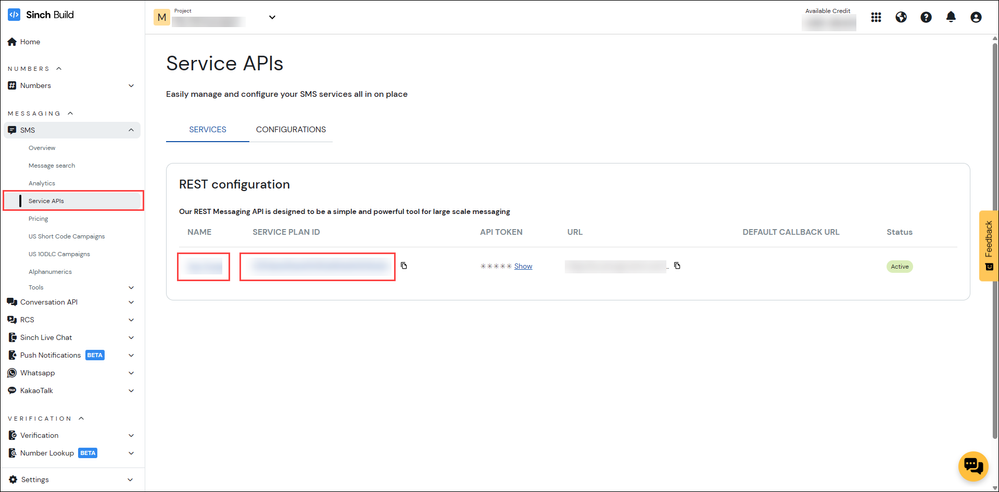
- Select SMS from the left menu and select the Service APIs option. The Service APIs page is displayed:
Click the service (either the NAME or the SERVICE PLAN ID) to which the callback URL is to be assigned.
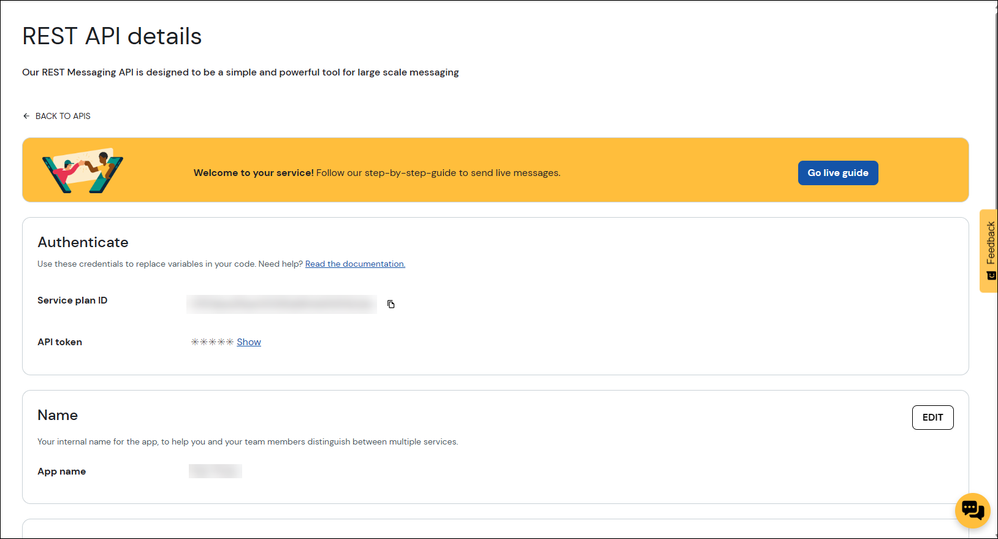
- The REST API details page is displayed:
- Navigate to the Callback URLs section and click Add callback URL.
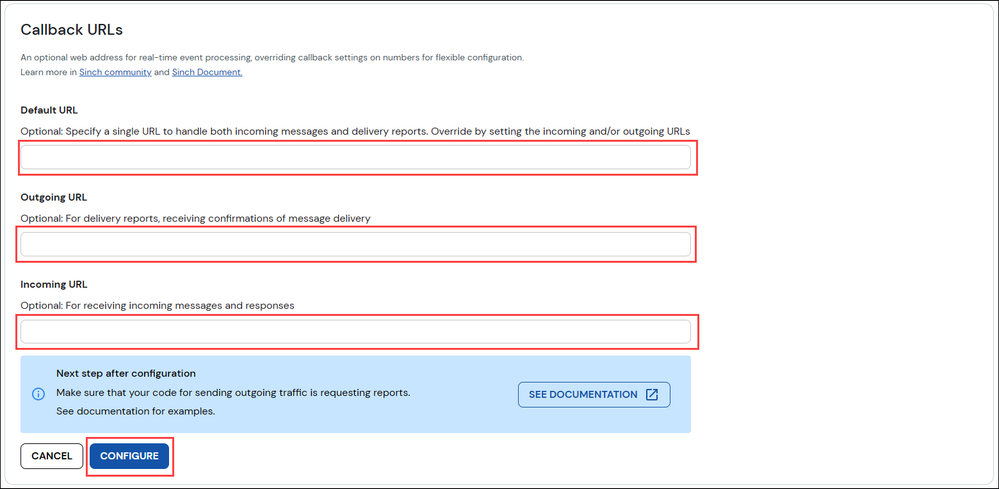
The Default URL, Outgoing URL, and Incoming URL fields are displayed:
- To direct incoming messages and delivery reports to a single URL, populate the Default URL field. Note that this setting will be overridden by the values provided in the Outgoing URL field and/or the Incoming URL field.
- To direct delivery reports and message delivery confirmations to a specific URL, populate the Outgoing URL field. Note that this will override the value provided in the Default URL field for delivery reports and message delivery confirmations.
- To direct incoming messages and responses to a specific URL, populate the Incoming URL field. Note that this will override the value provided in the Default URL field for incoming messages and responses.
Once you have populated the appropriate fields, click Configure.
- To direct incoming messages and delivery reports to a single URL, populate the Default URL field. Note that this setting will be overridden by the values provided in the Outgoing URL field and/or the Incoming URL field.

In addition to setting the callback URL for an existing SMS service plan, you can also assign a virtual number to an SMS service plan.
- For information on how to assign a virtual number to an existing SMS service plan, see How do I assign a virtual number to an SMS service plan?
- For information on how to create a new SMS service plan, see How do I create an SMS service plan?
Learn more about and try out Sinch SMS
Take a look at the Sinch SMS Product page to learn more about our SMS products, or click here to sign up to our self-service portal and get started today.
Comments
0 comments
Please sign in to leave a comment.