
Note: This article is intended for customers who have access to the following options in the Campaigns menu: All campaigns, Analytics and Settings. If in the campaigns menu you see Newsletter and Settings options, check out this other article.
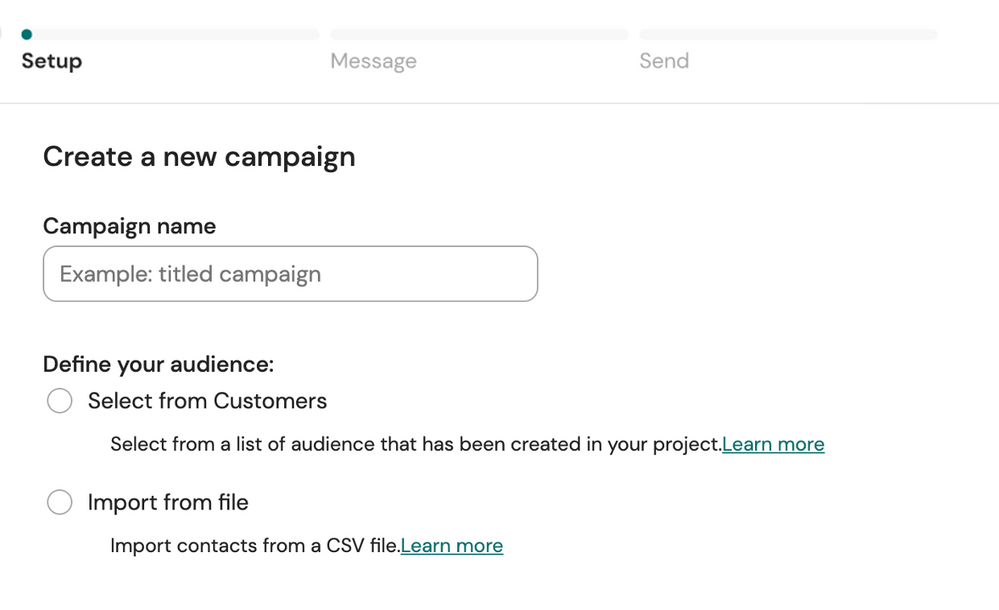
When creating a campaign you have 2 options to choose the source of your audience:
-
Select from Customers: select audiences that has been already created from your customers list on your Sinch Engage project. These audiences are created before sending the campaign in the Customers > Audiences page. See Create a campaign for an audience from your customers list.
- Import from file: import contacts from a CSV file. Using this option you can import customers that you already have on your internal tool, such as CRMs. Create a campaign for an audience imported from CSV file.
Comments
0 comments
Please sign in to leave a comment.